Joppa gives every local project a .test domain, a trusted certificate and its databases. No server to configure.
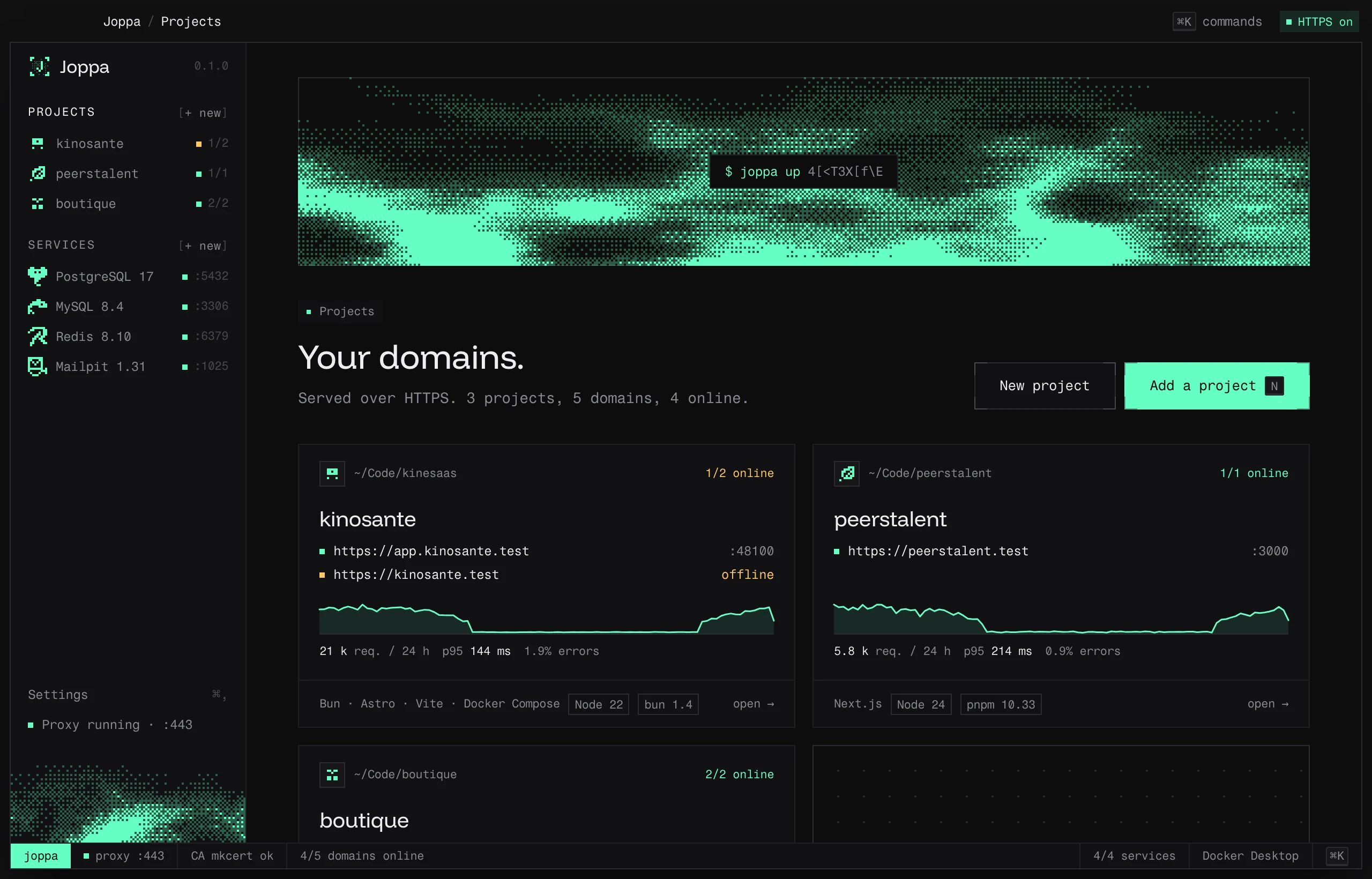
Local infrastructure, minus the config.
An HTTPS proxy on :443, a local certificate authority and your services, run from a single window.
A .test domain per project.
Joppa finds the dev servers in a folder and gives each its own domain: app.myproject.test, api.myproject.test. No more localhost:5173 tabs that all look alike.
Trusted HTTPS, no warnings.
A local certificate authority, added to the keychain once. Every domain gets its certificate; the browser shows the padlock, just like in production.
Your databases, one click away.
PostgreSQL, MySQL and MariaDB run in your container runtime, with one database per project and the extensions you need.
One app, your whole local environment.
Every feature has its page in the documentation.
Your projects
Point Joppa at a folder; it handles the rest.
Your services
One server per engine, one database per project, in your container runtime.
HTTPS and proxy
Like production, with nothing to configure.
Keyboard, terminal and AI
The same app, wherever you work.
Ready in a minute.
- 01■□□
Add a project
Drop a folder on the window, press N, or start from a template: Vite+, Next.js, Astro, Laravel…
- 02■■□
Joppa finds your servers
Vite, Next.js, Astro, Laravel, Docker Compose: Joppa reads the project and suggests a domain for each port.
- 03■■■
Open https://
The proxy listens on :443 and routes to your ports. Joppa can also run your dev servers for you.
$ joppa status
› proxy :443 · CA joppa ok
› myproject  https://myproject.test → :5173
■ 1/1 domain online · postgres 17 running
$
On macOS and Linux. Windows is coming.
One licence for all your systems.
macOS
your systemavailableLinux
your systemavailableWindows
your systemin progressThe Windows version is in development. Your Pro licence will work on it as soon as it ships.
Frequently asked questions
Why .test domains?
Do I need to install Docker?
Does Joppa change my files?
I already have a docker-compose.yml with my databases.
Does it work with Claude or Cursor?
Which systems are supported?
More projects, more services.
Buy a licence on the website, then activate it in the app in one click: Joppa opens and unlocks itself.