Analytics
Your dev servers' traffic as measured by the proxy: requests, latency, errors, uptime, slowest paths and live requests.
The Analytics tab (S) shows what happens between the browser and your dev servers. The measurements come from the proxy: only requests that go through a .test domain are counted (not those made directly to localhost).
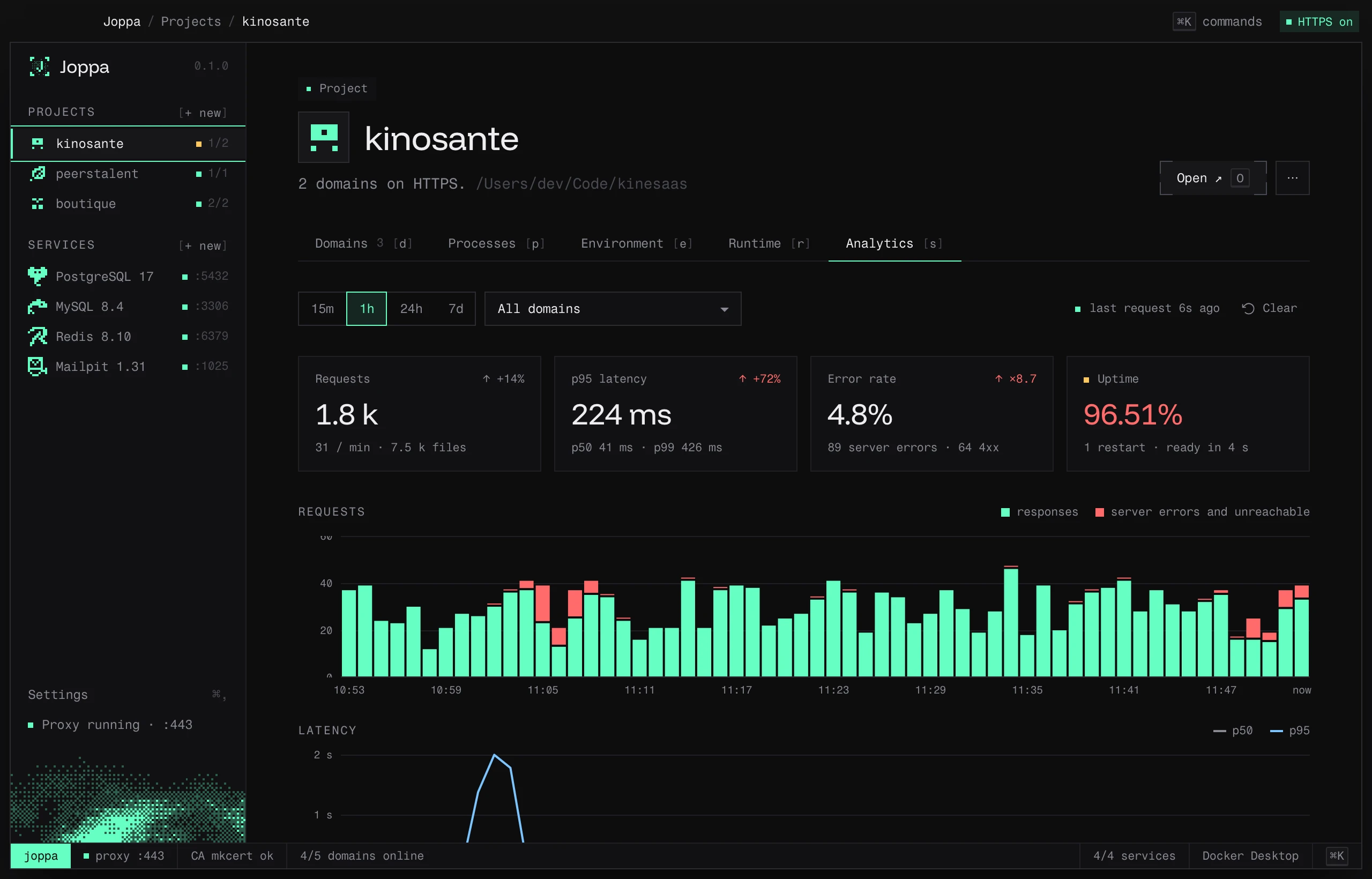
Filters
- Period: 15m, 1h, 24h or 7d.
- Domain: all of the project’s domains, or just one.
- Clear resets the project’s stats.
The header shows the time of the last request, and “live” while traffic is coming in.
Key figures
| Card | Contents |
|---|---|
| Requests | Total, per minute, and number of files (assets) |
| p95 latency | 95% of requests respond faster than this |
| Error rate | Server errors (5xx, unreachable) and 4xx |
| Uptime | Share of time online, restarts, time to be ready |
Each card is compared with the previous period.
Charts
- Requests per interval: responses and errors (server errors and unreachable server).
- Latency: p50 and p95 per interval. An accessible table carries the same data.
- Response codes and volume sent, with the average time to first byte.
Uptime
One strip per domain shows when it was online, offline, not tracked, or restarted. A probe checks each domain every 5 seconds, on top of the requests seen by the proxy. The event list details outages (↓), starts (↑) and restarts (↻) with their downtime.
Slowest paths
Pages and API routes, sorted by p95, with their number of calls. IDs are stripped from paths (/users/42 and /users/43 count together); static files and HMR traffic are kept separate.
Errors and live requests
- Most frequent errors: the paths that fail most, with their code.
- Live requests: the stream of requests, with Follow.
When the dev server doesn’t respond, the proxy returns a 502 page “The dev server is not responding” and counts the request as unreachable.
The data
Measurements are aggregated per minute and kept for 7 days, in Joppa’s analytics/ folder, on your machine. Nothing is sent anywhere else. On the home screen, each project also shows its requests and error rate over the last 24 hours.